XCTF-web-wtf.sh-150
题目描述
暂无
思路
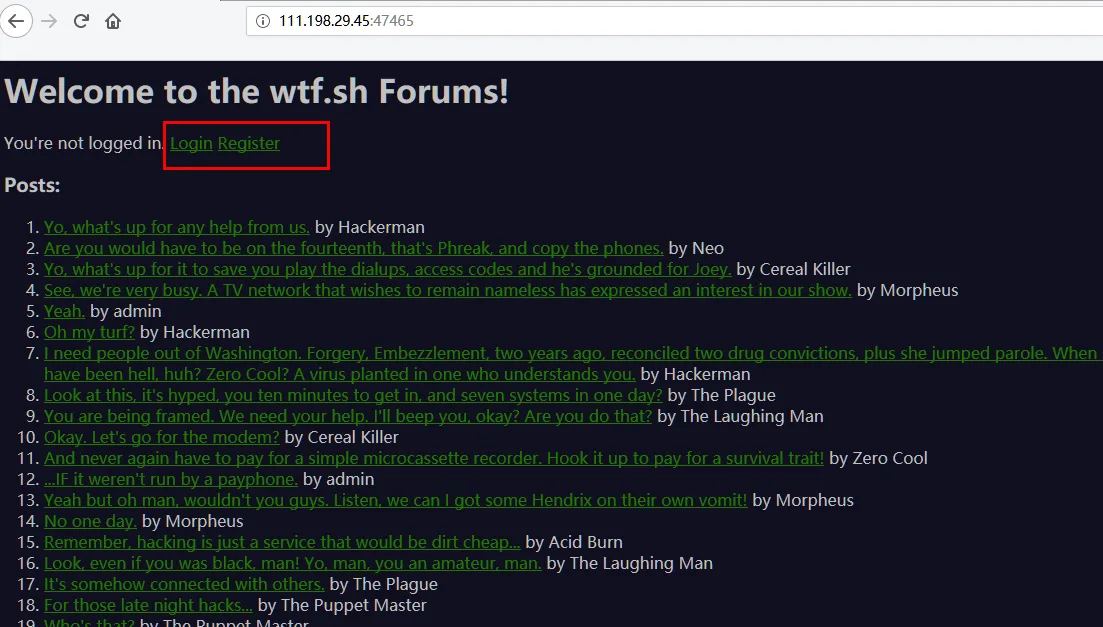
打开题目,需要注册登录
然后点开一个Post,看看
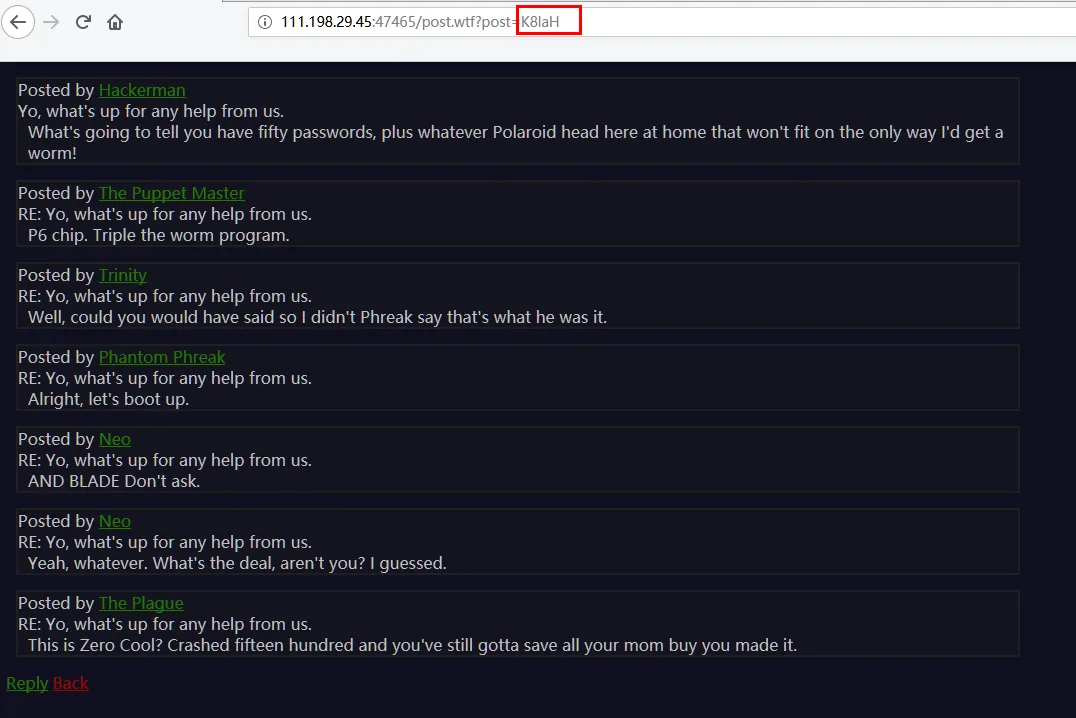
看到url中有一个post参数,尝试修改这个参数看能否进行目录遍历
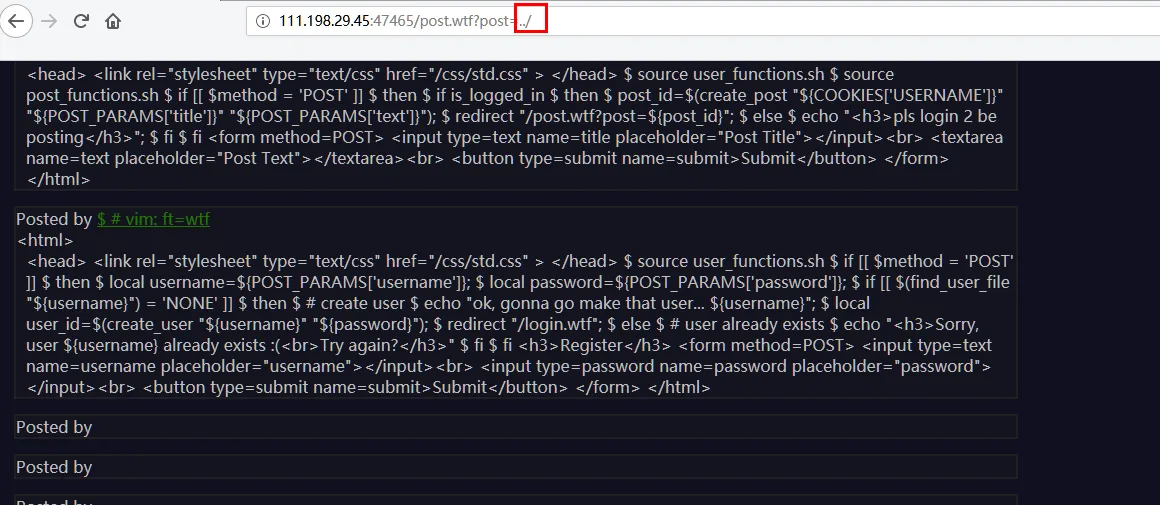
修改为../可以查看到一些信息
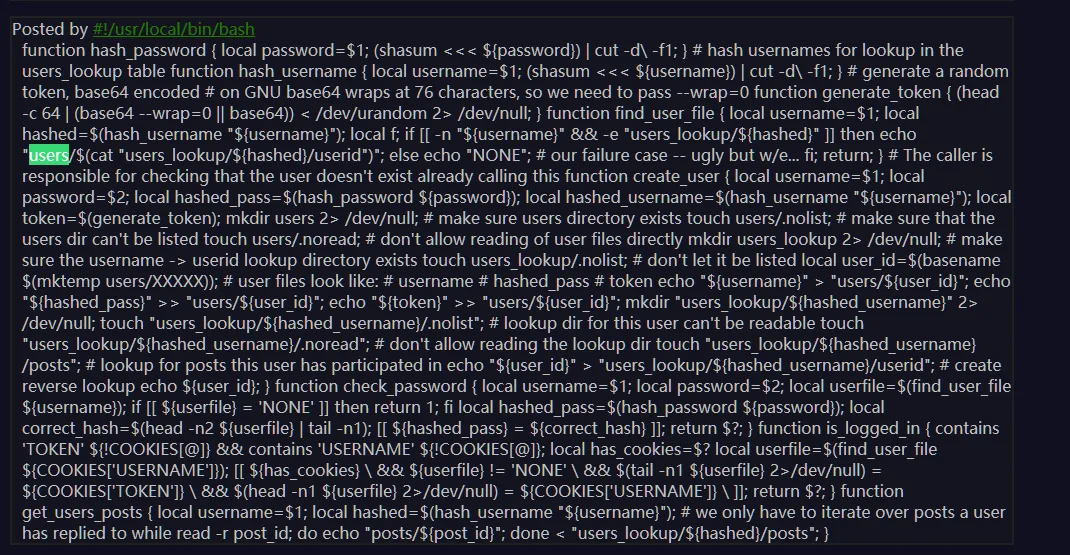
搜索flag关键字,得到下面的代码

格式化这一段代码后进行审计。
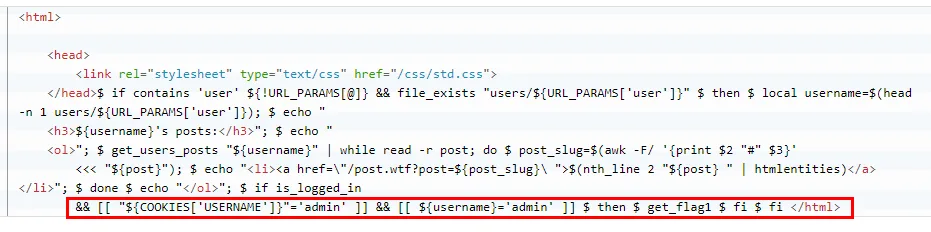
关键代码是最后一行,当以admin登录后才能拿到Flag.
那就注册一个用户查看能否越权,我注册了一个用户123,然后登陆
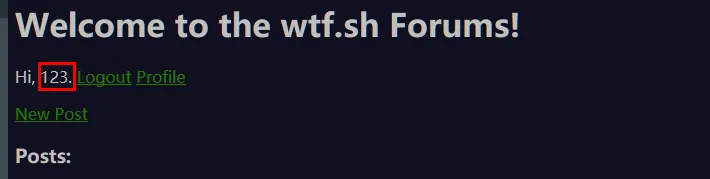
根据前面的目录遍历得知注册的用户都会存到users目录下。
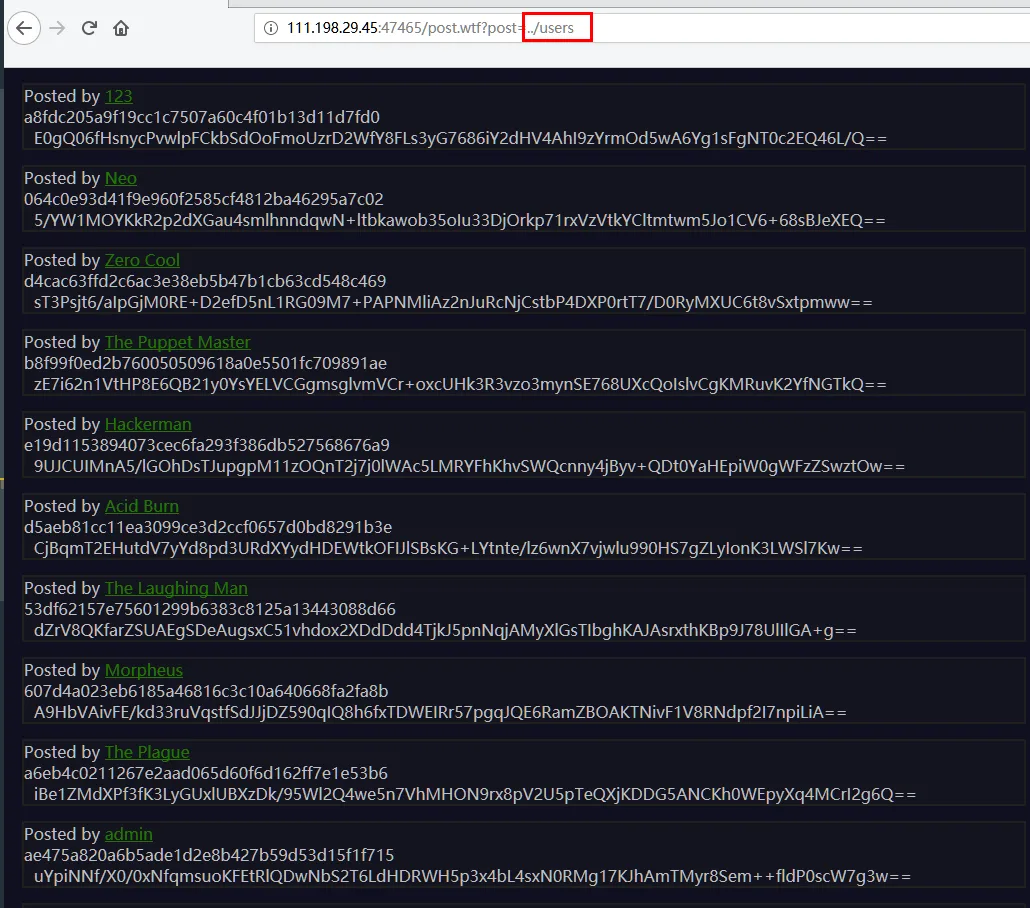
遍历users目录,得到一些关于用户的信息:
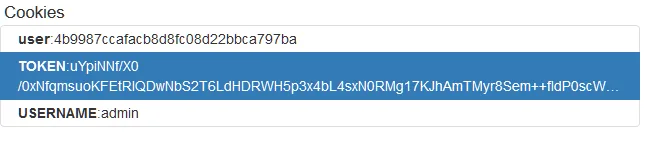
查看当前用户的cookie值,可以看到cookies中的Token存在于user目录下,那就改为admin的token,然后就可以以admin登陆了。
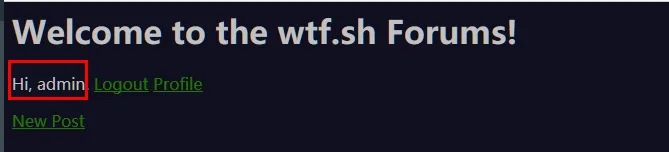
点击Profile即可看到第一部分的Flag
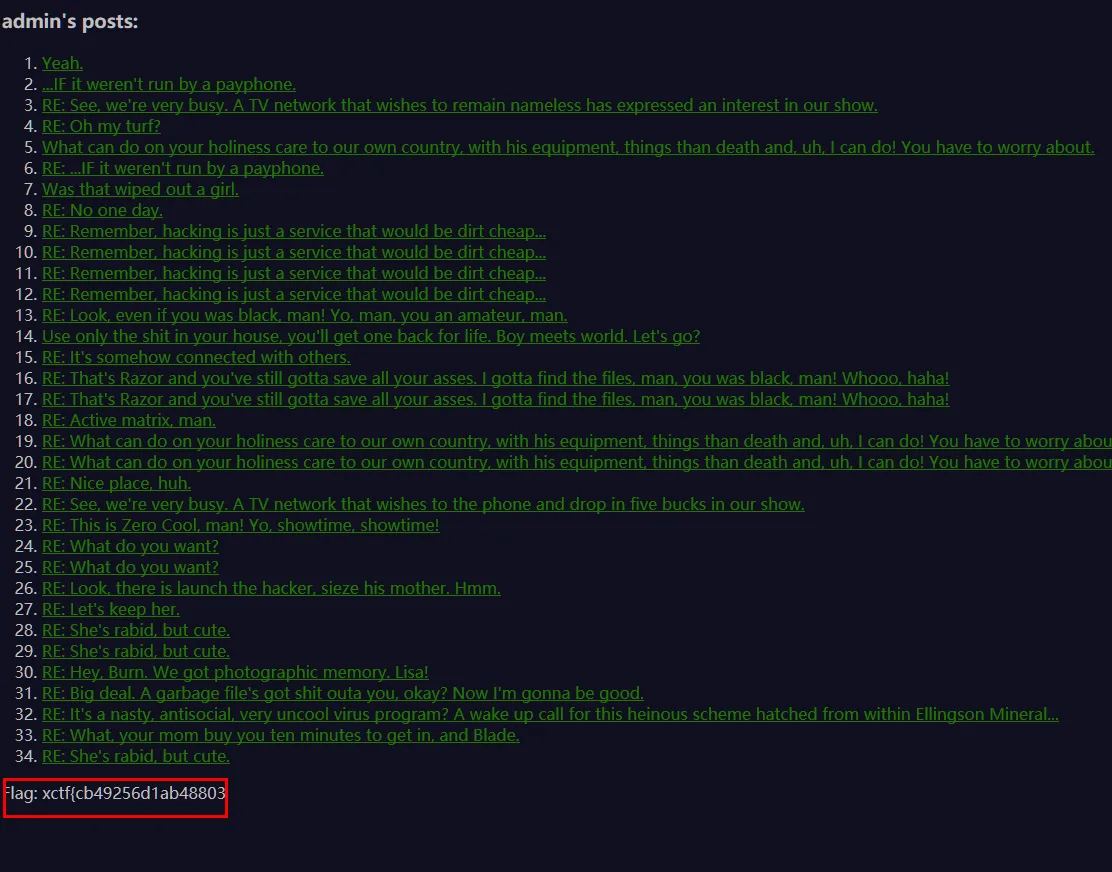
这只是拿到第一部分的Flag,还需要第二部分的才可以拿到完整的Flag
因为 wtf 不是常规的网页文件,故寻找解析 wtf 文件的代码:
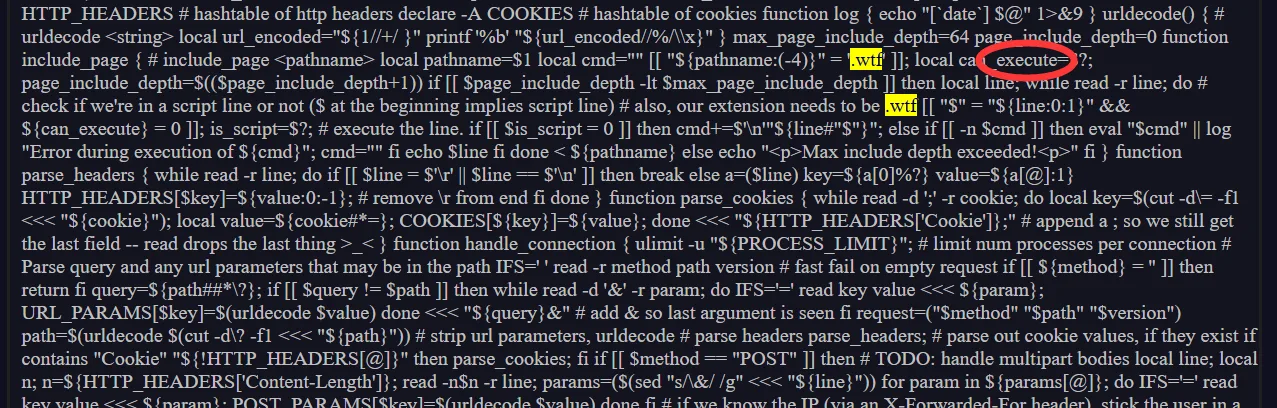
格式化:
max_page_include_depth=64
page_include_depth=0
function include_page {
    # include_page pathname
    local pathname=$1
    local cmd=
    [[ ${pathname(-4)} = '.wtf' ]];
    local can_execute=$;
    page_include_depth=$(($page_include_depth+1))
    if [[ $page_include_depth -lt $max_page_include_depth ]]
    then
        local line;
        while read -r line; do
            # check if we're in a script line or not ($ at the beginning implies script line)
            # also, our extension needs to be .wtf
            [[ $ = ${line01} && ${can_execute} = 0 ]];
            is_script=$;
            # execute the line.
            if [[ $is_script = 0 ]]
            then
                cmd+=$'n'${line#$};
            else
                if [[ -n $cmd ]]
                then
                    eval $cmd  log Error during execution of ${cmd};
                    cmd=
                fi
                echo $line
            fi
        done  ${pathname}
    else
        echo pMax include depth exceeded!p
    fi
}
能够解析并执行 wtf 文件,如果还能够上传 wtf
文件并执行的话,就可以达到控制服务器的目的。
于是继续审计代码,发现如下代码给了这个机会:
function reply {
    local post_id=$1;
    local username=$2;
    local text=$3;
    local hashed=$(hash_username "${username}");
    curr_id=$(for d in posts/${post_id}/*; do basename $d; done | sort -n | tail -n 1);
    next_reply_id=$(awk '{print $1+1}' <<< "${curr_id}");
    next_file=(posts/${post_id}/${next_reply_id});
    echo "${username}" > "${next_file}";
    echo "RE: $(nth_line 2 < "posts/${post_id}/1")" >> "${next_file}";
    echo "${text}" >> "${next_file}";
    # add post this is in reply to to posts cache
    echo "${post_id}/${next_reply_id}" >> "users_lookup/${hashed}/posts";
}
这是评论功能的后台代码,这部分也是存在路径穿越的。
这行代码把用户名写在了评论文件的内容中:
echo "${username}" > "${next_file}";
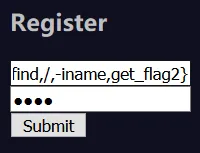
如果用户名是一段可执行代码,而且写入的文件是 wtf
格式的,那么这个文件就能够执行我们想要的代码。
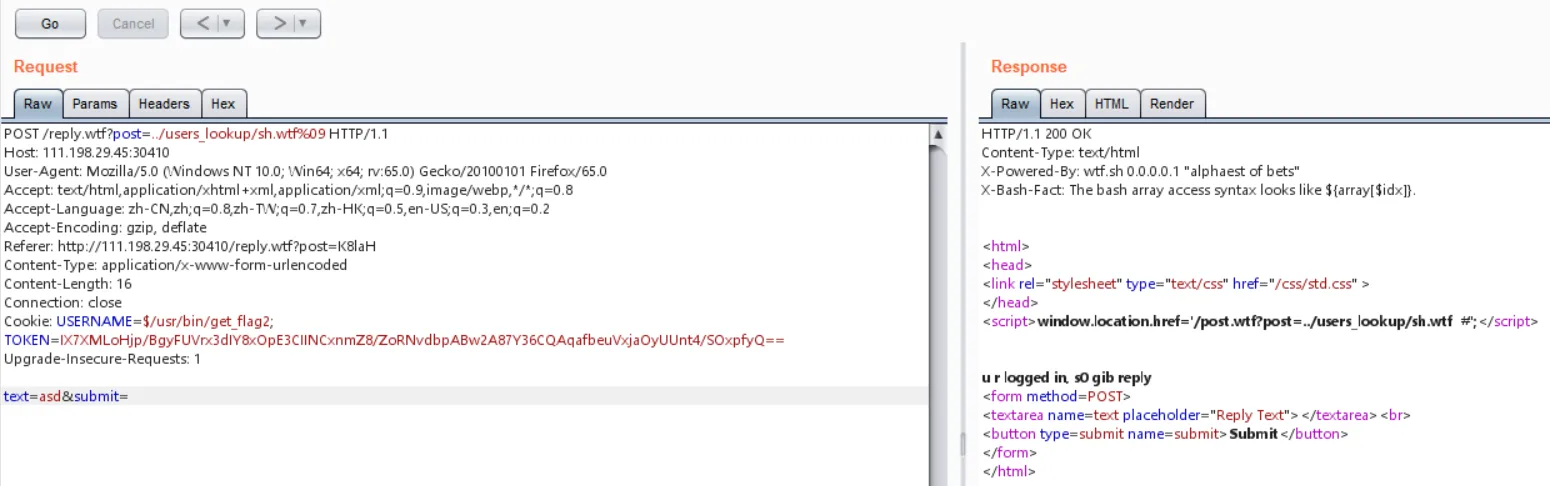
先普通地评论一下,知晓评论发送的数据包的结构:
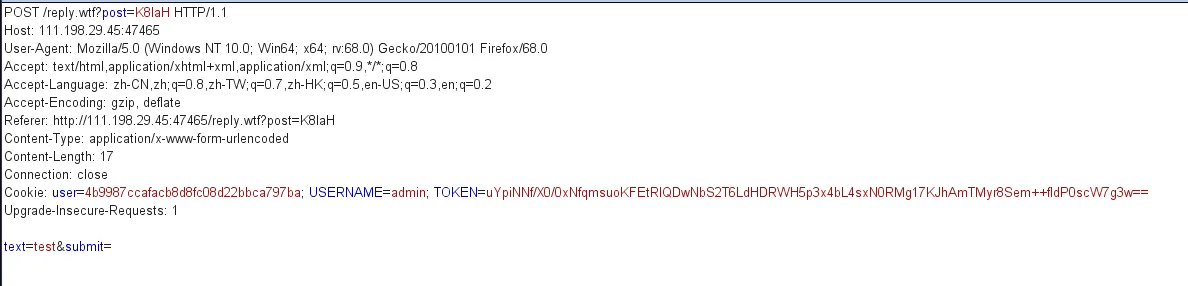
在普通评论的基础上,进行路径穿越,上传后门sh.wtf:
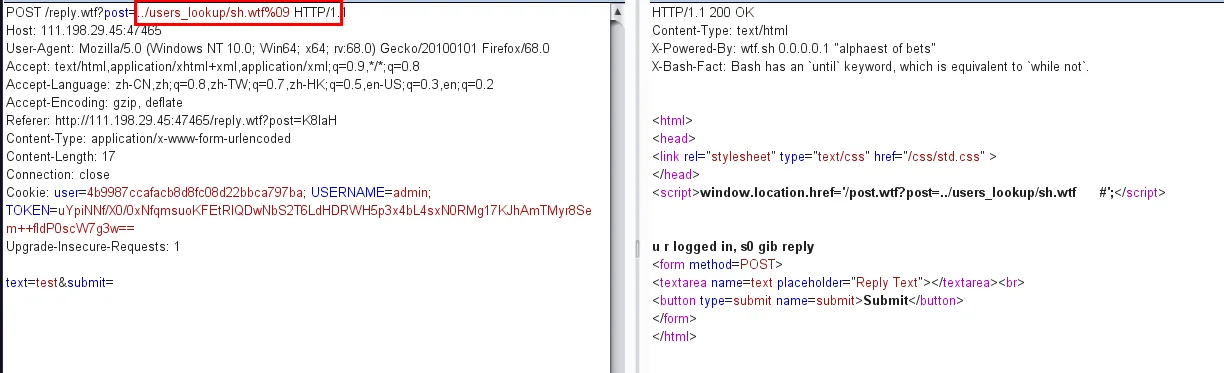
%09是水平制表符,必须添加,不然后台会把我们的后门当做目录去解析。
访问后门,发现成功写入:
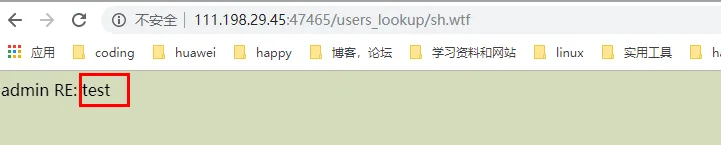
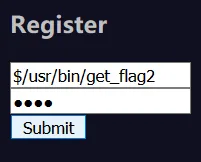
为了写入恶意代码,我们得让用户名里携带代码,故注册这样一个用户:
写入后门:
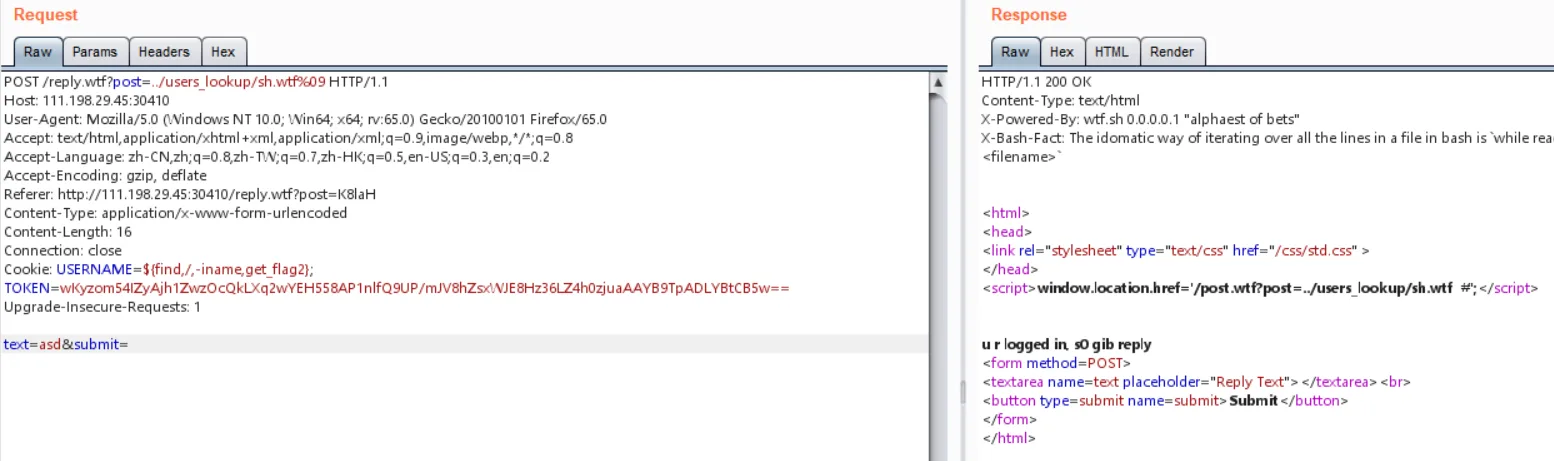
访问后门,执行代码,寻找get_flag2(因为之前获得 flag1 的时候是
get_flag1):
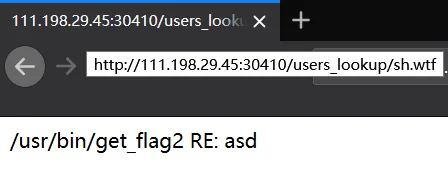
获得 flag2 所在的路径。
继续注册新用户:
写入后门:
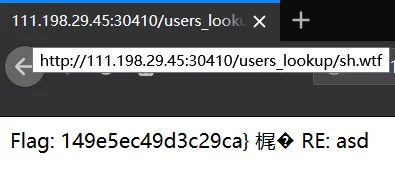
访问后门,获得 flag2:
Flag2的获取太难了,我是看了别人的WP才知道的。
然后把前后两个Flag拼接起来就是完整的Flag
参考:
评论讨论 (0) Artalk 自托管